

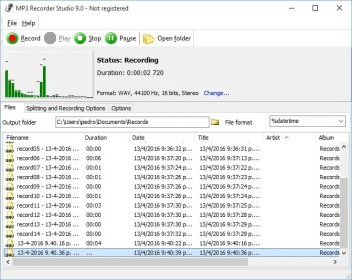
MP3 Recorder Studio is a very light application intended to record audio from your computer. The tool has an intuitive interface but, I suppose, it could have been designed to be more attractive. The recorder allows selecting a single sound source, such as the built-in microphone; however, it can record from various sources at the same time. Then, as output, you can use WAV, a lossless uncompressed format. Moreover, it also supports MP3, an important audio standard that offers high-quality sound with a small file size. In both cases, you can customize some parameters, such as frequency, bitrate and mode. The output files can also be tagged to your preferences.
One of the main advantages of this application is that it can automatically detect silence. Therefore, by adjusting sound threshold values, you can have the program record audible sounds only. This possibility of recording only when sound is being produced is fundamental in reducing total recorded time. Besides, you can split your recording into several files according to silence spans. Another way to create various files is to set the maximum length of each segment. It is also good to know how to use the hotkeys, for a better control of your recording.
Nevertheless, the program has some disadvantages. Although I understand it is not meant to be used for editing, the application does not support editing, even when most programs of the same type come with at least some basic editing features. Also, the Record button remains active during the recording process. It takes over the undeclared function of splitting output. I guess most users would be somewhat confused at first with this behavior.
All in all, MP3 Recorder Studio can record audio with acceptable quality. However, I don’t think it has anything really different to offer, cause some cheaper (and even free) applications can do the same and much more.




Comments